Network Material Renamer v0.1 Maya 2018 & Above
#Solidangle#Maya#python#automate#Compositing#Lighting#Lookdev#Renderman#Pixar#Vray#Octane#Redshift
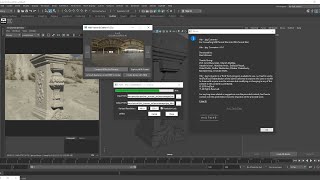
Demonstrating Network Material Render Tool for Maya 2018 & above.
This script renames the material network in click and without hassle. If the renderer is other than Arnold than just need t register the materials with the function "Material List Update".
Software Works Over:
* Autodesk Maya
** Any Renderer irrespective inbuilt or external plugin.
Execution:
1. Copy the Folder in the script folder of the computer
i.e. C:\Users\username\Documents\maya\20xx\scripts
2. Run the command provided as under Python Tab from ExecutionCommand.txt file.
How to use:
1. Just select a Material and type the Desired name wish to have in the network for it.
2. Click "Rename Network"
Note: After Installation while using for the first time, just use Lock checker to unlock it and there will appear a push naming "Material List Update" this will basically update the material types as per your loaded renderers in a json file and you are good to go, but this is not needed every time just when you using a new renderer or on other system the same thing . This is prototype few features will be added soon like short name/custom name library/ input pipe name .
Suggestions are welcome.
Blog Link : https://ravimotwani.wixsite.com/anitech
YouTube : https://youtu.be/e9-TH98bW0Q
LinkedIn : Ravi Motwani




Useful automation tool for Maya users, especially in lookdev workflows. The explanation is clear, and LongPathTool fits well into pipeline discussions, making material management faster, cleaner, and less error prone across different renderers today now.